How to Build Programmatic SEO Pages in Next.js
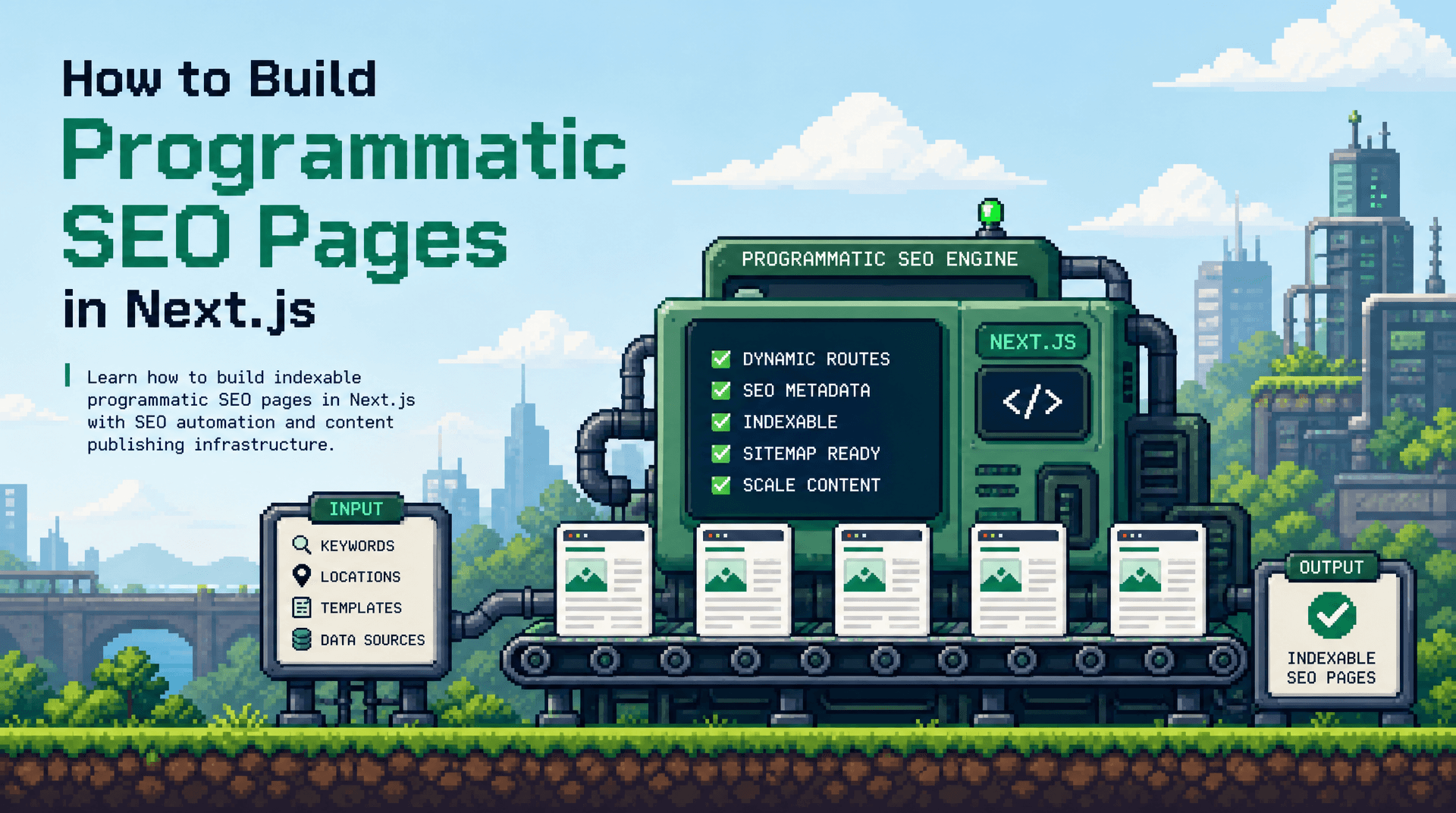
Programmatic SEO only works when each generated page earns its place in search results. A route template and a large dataset can create thousands of URLs, but thin, duplicate, or technically inconsistent pages will not create durable organic growth.
This guide is for SaaS developers, technical founders, and growth teams building with Next.js. It explains how to design a programmatic SEO system with unique data, server-rendered pages, metadata, JSON-LD, canonicals, internal links, and sitemap automation. The key takeaway: treat programmatic SEO as a publishing system with quality gates, not as a URL generator.
Define a Programmatic SEO Opportunity Before You Build
The strongest programmatic SEO projects start with a repeatable search intent. A user should be able to change one variable, such as an integration, role, industry, framework, or use case, while still expecting a useful and distinct answer.
For a SaaS product, viable page families often include integration pages, comparison pages, templates, location-independent use cases, documentation-derived workflows, and solution pages by role. The common requirement is that your product has meaningful, supportable information for each variant.
Choose a page pattern with stable search intent
Start by grouping keywords into a page family, then inspect search results for several representative terms. If results show the same type of pages across variants, a shared template may fit. If one variant returns tutorials and another returns product category pages, split them into separate templates.
For example, a workflow automation product might build pages for [tool] integration, [role] workflow automation, or [industry] automation software. Each route needs a clear job: explain the use case, establish product relevance, and give the visitor a path to act.
Avoid creating pages only because a keyword can be combined with a list of terms. A page targeting a niche integration is not useful if the product does not support that integration, or if the content can only restate the same generic paragraph.
Build a source-of-truth data model
Content quality depends on the data available to the template. Put validated, structured facts in a CMS, database, repository, or content API rather than relying on a model to infer every detail at render time.
A practical entity record might contain:
slug,name, and a page-specific search intent- Product capabilities and limitations relevant to the entity
- A unique description, steps, examples, and supporting resources
- Related entities for internal linking
- Last reviewed date and publication status
- SEO fields such as a preferred title, canonical override, and noindex flag
Separate editorial facts from presentation. The same entity data should support the page body, metadata, structured data, sitemaps, and related-link modules. That reduces drift between what a page says and what search crawlers receive.
Model Content for Depth, Not Just Scale
A template should guarantee useful sections, while entity data supplies the specificity that makes each page distinct. If the only changing fields are a title and a keyword, the page family is probably too shallow.
Create reusable modules with unique inputs
Most programmatic pages can share a layout without sharing identical prose. Use content modules that ask entity-specific questions: what does this user need, what setup is required, what outcomes are realistic, and which product features apply?
For an integration page, modules might include an overview, supported triggers, supported actions, a setup sequence, implementation constraints, examples, and related integrations. For a role page, use pain points, team workflows, relevant features, examples, and implementation guidance.
An AI-generated content workflow can accelerate first drafts, summaries, and metadata suggestions. It should not replace the factual layer. Ground generation in product documentation, approved claims, feature availability, and entity records, then add validation before publishing.
Add evidence and decision-making detail
Search pages win when they help users make a decision or complete a task. Add details that are hard to produce from a generic template: configuration requirements, compatibility notes, limitations, examples, screenshots where appropriate, and links to authoritative documentation.
Use conditional modules when facts differ. A page for an available integration can show setup steps and API details; a page for a requested integration should instead explain alternatives, supported import paths, or how to request support. Never let a generic template imply functionality that does not exist.
Before publishing, check pages at the family level. Review a random sample across high-volume, low-volume, and edge-case entities. Then compare neighboring pages to identify repeated claims, missing data, or thin variants.
Build Indexable Next.js Routes
Next.js supports strong SEO automation for Next.js because routes can be rendered with reliable HTML, metadata, and structured data. The implementation choice should follow the volatility of your content and the operational needs of your publishing pipeline.
Use App Router routes and controlled generation
In the App Router, a dynamic route such as app/solutions/[slug]/page.tsx can retrieve an entity and render it on the server. Use generateStaticParams for a known, bounded set of pages that benefit from static generation. For larger or frequently changing datasets, use on-demand rendering with caching and revalidation.
A simplified pattern looks like this:
// app/integrations/[slug]/page.tsx
import { notFound } from "next/navigation";
import { getIntegration } from "@/lib/integrations";

export default async function IntegrationPage({ params }: {
  params: Promise<{ slug: string }>;
}) {
  const { slug } = await params;
  const integration = await getIntegration(slug);

  if (!integration || integration.status !== "published") notFound();

  return <IntegrationTemplate integration={integration} />;
}
Do not expose draft entities through predictable routes. Return notFound() for missing or unpublished records, and ensure pages with incomplete source data cannot enter the index by accident.
Choose rendering and cache behavior deliberately
Static rendering is a good fit for stable landing pages. Incremental revalidation works well when product data or editorial copy changes periodically. Dynamic rendering may be necessary for highly current data, but it should not be the default if it increases latency without serving a user need.
The following comparison helps map content volatility to a rendering approach.
| Content condition | Recommended approach | Operational consideration |
|---|---|---|
| Stable, reviewed pages | Static generation | Rebuild when data changes |
| Periodically updated catalogs | Revalidation | Set a review and invalidation process |
| Fast-changing availability data | Dynamic rendering | Protect performance and crawl reliability |
| Very large page inventories | Hybrid with selective generation | Prioritize valuable entities first |
Keep the public route, API query, and canonical URL consistent. Slug normalization should happen once in the data layer, including casing, punctuation, redirects, and renamed entities.
Generate SEO Metadata for SSR Apps
Metadata is not an afterthought in programmatic SEO. It is a per-page contract that tells search engines which URL is primary, what the page is about, and whether the content should be eligible for indexing.
Generate unique titles, descriptions, and canonicals
Next.js generateMetadata lets each page return server-rendered title, description, Open Graph fields, and alternates. Use a title pattern that reflects intent, not a simple keyword swap. Descriptions should summarize a concrete outcome and avoid boilerplate where possible.
export async function generateMetadata({ params }: {
  params: Promise<{ slug: string }>;
}) {
  const { slug } = await params;
  const item = await getIntegration(slug);
  if (!item) return {};

  return {
    title: `${item.name} Integration for Automated Workflows`,
    description: item.metaDescription,
    alternates: {
      canonical: `https://example.com/integrations/${item.slug}`
    },
    openGraph: { title: item.ogTitle, description: item.metaDescription }
  };
}
Canonical tags should point to the preferred public URL, not a parameterized, preview, or staging URL. If a filter creates a materially different page that deserves indexing, give it its own intentional route and unique content. Otherwise, canonicalize or prevent indexing as appropriate.
Add JSON-LD schema generation only when it matches the page
JSON-LD schema generation can improve machine readability, but it is not a shortcut to rich results. Use schema types that accurately reflect visible content, such as SoftwareApplication, Product, Article, BreadcrumbList, or HowTo when the required content is present.
Generate structured data from the same source-of-truth entity record used by the page. Validate output in a schema testing workflow, check that URLs are absolute, and escape data safely before injecting JSON. Do not add review, rating, pricing, or FAQ properties unless the page genuinely contains valid, policy-compliant information for them.
Connect Pages with Internal Links and Sitemaps
A large page inventory is easier to crawl when information architecture mirrors how users explore the product. Automated internal linking should be intentional, relevant, and bounded, rather than a large block of keyword-heavy links on every page.
Build links from entity relationships
Store relationships in your data model: related integrations, compatible platforms, relevant roles, alternative workflows, parent categories, and supporting docs. Then render a small set of useful links from those relationships.
For example, an integration page can link to its category, complementary integrations, a setup guide, and related workflow templates. A role page can link to feature pages and role-adjacent workflows. Breadcrumbs reinforce hierarchy, while contextual links help users and crawlers discover supporting pages.
Do not let related-content logic link every page to every other page. Limit recommendations based on meaningful attributes and exclude unpublished, noindex, redirected, or duplicate entities.
Automate sitemap and indexation workflows
Use app/sitemap.ts to emit only canonical, indexable URLs. Include a meaningful lastModified value when your source data can provide one. Large sites can split sitemaps by page type or use a sitemap index to keep generation manageable.
// app/sitemap.ts
import { getPublishedIntegrations } from "@/lib/integrations";

export default async function sitemap() {
  const items = await getPublishedIntegrations();
  return items.map((item) => ({
    url: `https://example.com/integrations/${item.slug}`,
    lastModified: item.updatedAt,
    changeFrequency: "weekly" as const,
    priority: 0.7
  }));
}
An automated SEO pipeline should update the sitemap when publishing status changes, invalidate route caches, and record the deployed URL. Indexation pings can notify supported endpoints of sitemap changes, but they do not guarantee indexing. Quality, crawlability, canonical consistency, and internal discovery remain the fundamentals.
Add Quality Gates to Your Automated SEO Pipeline
The operational challenge is not generating the first hundred pages. It is preserving quality as the dataset, templates, product, and site architecture change.
Validate pages before they are publishable
Create a publish gate that checks required entity fields and technical output. At minimum, validate a unique title, meaningful body content, canonical URL, indexability decision, valid internal links, image alt text where relevant, and schema serialization.
Treat content scoring as a review aid, not an autonomous approval mechanism. A score can catch missing sections or metadata problems, but it cannot confirm that a product claim is true or that the page satisfies search intent.
Monitor at the template and URL level
Track issues by template version, not only by individual URL. A template bug can produce thousands of broken canonicals, repeated descriptions, or invalid JSON-LD in one deployment.
Use automated tests for route generation and metadata functions. Add deployment checks that crawl a sample of newly published URLs, inspect response status and canonical tags, and flag pages that unexpectedly become noindex. Review search performance by page family to find entities that need deeper data, consolidation, or removal.
Tools such as AutoBlogWriter can centralize research, product-context drafting, validated metadata, structured data, scheduling, publishing, sitemaps, and indexation workflows. For teams shipping content through Next.js, its React SDK and drop-in components can reduce integration work while keeping publishing controls in the application workflow.
Key Takeaways
- Programmatic SEO pages need a repeatable search intent and entity data that creates genuinely distinct value.
- Next.js routes should return dependable server-rendered content, controlled indexability, and deliberate cache behavior.
- Generate metadata, canonical tags, and JSON-LD from the same validated data source as the page itself.
- Use relevant internal links and dynamic sitemaps to support discovery without creating crawl noise.
- Add publishing gates and template-level monitoring so scale does not multiply technical or editorial defects.
Build the system around useful pages and reliable deployment controls, and scale becomes an advantage rather than a quality risk.
Frequently Asked Questions
- Is programmatic SEO safe for a SaaS website?
- Yes, when each page serves a distinct search intent and contains useful, accurate information. Avoid publishing thin combinations of keywords or pages that imply unsupported product functionality.
- Should programmatic SEO pages use static generation in Next.js?
- Use static generation for stable, known pages. Use revalidation for periodically updated content, and dynamic rendering only when current data is essential to the page experience.
- How do I prevent duplicate content across programmatic pages?
- Use unique entity data, conditional modules, distinct titles and descriptions, consistent canonicals, and quality checks. Consolidate or noindex variants that cannot provide meaningful differentiated value.
- Does JSON-LD help programmatic SEO pages rank?
- JSON-LD helps search engines interpret valid page content, but it does not replace useful content, crawlability, or intent match. Use only schema types that accurately describe visible page information.