How to Build an Automated SEO Pipeline for Next.js
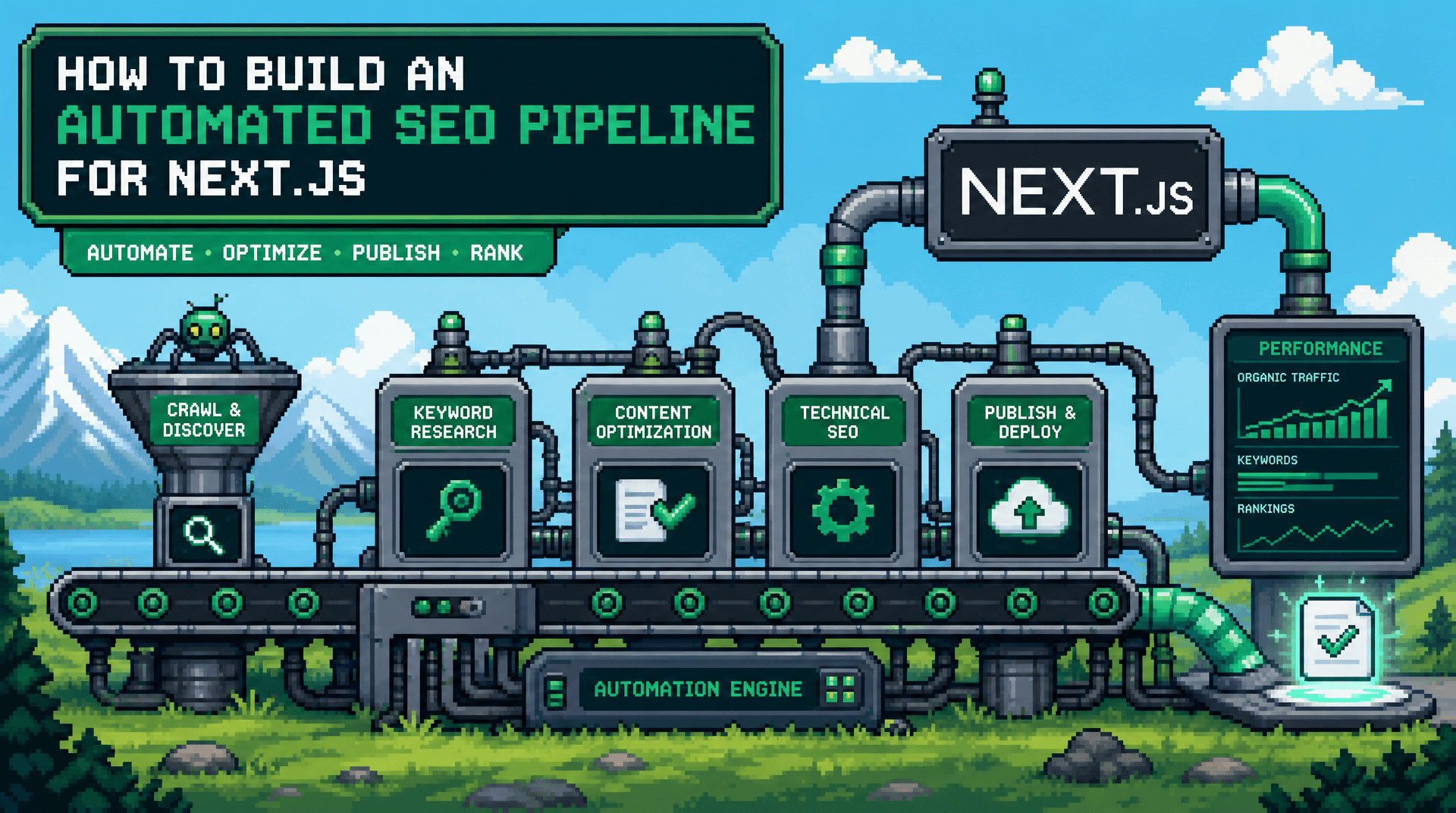
Publishing a search-ready article in a Next.js app is not a single content-generation task. It is a chain of decisions about intent, page data, rendering, structured data, internal links, deployment, and index discovery. A break in any one of those steps can leave a well-written post without the signals search engines and AI systems need.
This guide shows SaaS teams and developers how to build an automated SEO pipeline for Next.js, from keyword intake through publishing and monitoring. The key takeaway is to automate repeatable validation and delivery steps while keeping editorial intent, product claims, and release control explicit.
Define the Automated SEO Pipeline Before Choosing Tools
An automated SEO pipeline is a controlled workflow that turns an approved topic into a deployed, crawlable, internally connected page. For Next.js, the output should be more than Markdown or HTML. It should include a stable URL, complete metadata, appropriate JSON-LD, a canonical URL, image assets, sitemap inclusion, and a way to verify the page after release.
Treat the pipeline as a state machine rather than a collection of prompts. Each stage should have defined inputs, outputs, and failure conditions. That makes it possible to retry a failed image upload or schema validation without regenerating the entire article.
Separate editorial decisions from deterministic delivery
Editorial judgment is needed to select a keyword, define the reader, set the search intent, and approve product statements. These decisions are difficult to reduce to rules because they depend on positioning and current product reality.
Delivery steps are more suitable for automation. Formatting front matter, creating canonical tags, rendering article pages, generating feeds, updating sitemaps, and checking required fields should be deterministic. Keeping this boundary clear prevents an AI-generated content workflow from publishing unsupported claims simply because deployment is automated.
Define a content contract for every post
Use a typed content contract that the writer, generator, CMS, and renderer all share. At minimum, include a slug, title, description, publish date, updated date, author data, hero image, category, canonical path, target query, and body content.
For a SaaS blog, add fields for search intent, product references, related posts, and review status. A contract makes missing information visible before build time and gives automated checks something concrete to validate.
A practical flow looks like this:
| Stage | Input | Required output | Automated check |
|---|---|---|---|
| Planning | Seed keyword or URL | Intent, brief, target page type | Duplicate and relevance check |
| Drafting | Approved brief | Structured article and links | Required section and claim checks |
| Enrichment | Article record | Metadata, image, schema, canonical | Field and URL validation |
| Publishing | Validated record | Deployed route and sitemap entry | Build and route check |
| Monitoring | Live URL | Indexing and quality status | Crawl, canonical, and schema review |
This structure works whether content lives in a Git repository, headless CMS, or publishing platform. The important point is that each handoff is explicit.
Build a Product-Aware Research and Briefing Layer
Programmatic SEO becomes fragile when it begins with a large keyword list and ends with near-duplicate pages. The research layer needs to determine whether a topic deserves a page, what the page must answer, and where it fits in the existing site architecture.
Classify intent and prevent topic collisions
Assign each topic an intent such as informational, commercial investigation, integration guidance, comparison, or troubleshooting. A query like “SEO automation for Next.js” calls for an implementation guide, while “Next.js blog platform” may require a product comparison or category page.
Before creating a brief, compare the topic with existing URLs, planned drafts, documentation pages, and feature pages. If two pages answer substantially the same question, consolidate them or give each a distinct angle. This reduces keyword cannibalization and produces a clearer internal linking model.
Store this decision with the topic record. A simple intent, primaryUrl, and relatedUrls field is enough to tell downstream systems what the page is intended to do.
Crawl product context before drafting
A draft about a product should reflect what the product actually does, not generic category language. Pull approved context from product pages, documentation, changelogs, integration guides, and existing high-quality articles. Keep this source set versioned so claims can be reviewed when the product changes.
Product-context crawling is especially useful for teams that want AI assistance without repeatedly hand-writing long prompts. AutoBlogWriter, for example, can crawl a product website to build context for structured drafts, while teams should still review feature claims and positioning before publication.
The briefing output should identify the reader, the job they are trying to complete, the desired route, required sections, approved internal links, and claims that require a source. This gives the content generator useful constraints and gives reviewers a fast way to assess accuracy.
Generate Content as Structured Data, Not a Final Blob
A Markdown string is convenient for drafting, but it is not enough for reliable automated blog publishing. Generate a structured article object first, then render it to Markdown, MDX, rich text, or HTML according to your publishing architecture.
Require machine-checkable article fields
Ask the generation step to return a schema with fields such as title, description, excerpt, headings, body, faq, internalLinks, imagePrompt, and schemaType. Validate the response with Zod, JSON Schema, or your preferred runtime validation library.
This approach catches incomplete output early. For example, a validator can reject a description that is too long, a title with unsupported characters, a missing conclusion, or a link that does not map to an approved site route.
It also makes revisions targeted. You can regenerate only an excerpt, metadata description, or image prompt while preserving the reviewed article body.
Design internal links as a constrained graph
Automated internal linking should not mean inserting the same anchor text into every draft. Start with a page inventory containing URL, title, topic cluster, intent, and allowed anchor variants. The generator can then select a small number of relevant links based on the current article's entities and reader journey.
For an article about an automated SEO pipeline, useful destinations might include a Next.js integration page, a guide to JSON-LD schema generation, and a product page about publishing workflows. Avoid adding links solely because a page needs more internal links. Each link should help the reader take the next logical step.
Set limits, too. Require a minimum number of contextual links, cap repeated destinations, and prohibit links to redirects, noindex pages, or URLs outside the approved inventory.
Implement SEO Automation for Next.js at the Route Level
Next.js provides strong primitives for server-rendered metadata and route handlers. Your pipeline should use them to turn the validated content record into a page that has consistent SEO behavior in local development, preview deployments, and production.
Generate metadata with the Next.js Metadata API
Use generateMetadata for dynamic article routes and derive its values from the same content contract used by the page. This avoids a common mismatch where the visible title, Open Graph title, canonical URL, and sitemap entry are maintained in separate places.
Build canonical URLs from a single production-site environment variable, not from request headers or preview domains. Then generate title, description, Open Graph, Twitter card, robots directives, and alternates from validated fields. This is foundational SEO metadata for SSR apps because crawlers receive the relevant tags directly in the rendered response.
A typical route can follow this sequence: load the post by slug, return notFound() if it does not exist, create metadata from the post record, render the article, and inject page-specific structured data. Keep URL normalization centralized so trailing slash and locale rules cannot drift between routes.
Render JSON-LD schema from typed objects
JSON-LD schema generation should be data-driven, not copied into individual article components. For an article, construct an Article or BlogPosting object with its headline, description, image, author, publisher, datePublished, dateModified, and main entity URL.
Validate dates as ISO strings, require absolute image URLs, and omit fields you cannot support accurately. Add BreadcrumbList when your information architecture has meaningful hierarchy, and include FAQPage only when the visible page truly contains the matching questions and answers.
Serialize JSON-LD safely in a script element and test the rendered output, not just the source object. Invalid JSON, relative URLs, and metadata that disagrees with the visible page are common failures that a build-only check may miss.
Publish, Discover, and Maintain Pages Reliably
Deployment is the beginning of the operational workflow, not the final step. A page can build successfully while still having an incorrect canonical, excluded sitemap entry, broken image, or accidental noindex directive.
Generate sitemaps from publishable content
Create a dynamic sitemap from records that are published, canonical, and intended for discovery. Exclude drafts, preview URLs, redirected slugs, and utility routes. Use the same canonical URL builder used in generateMetadata so every system agrees on the preferred URL.
Update lastModified only when there is a meaningful change, such as a substantive content update or a metadata correction. A sitemap is an inventory signal, not a request to rank every URL. If your deployment workflow supports it, send indexation pings only after the production URL responds correctly.
Add post-publish checks and a review queue
After release, run a lightweight audit against the live production route. Verify the HTTP status, canonical URL, robots meta tag, Open Graph image, JSON-LD parseability, heading sequence, internal links, and sitemap presence.
Route failures to a review queue with actionable reasons. For example, “canonical resolves to preview host” is more useful than a generic “SEO failed” status. AutoBlogWriter can automate research, content creation, metadata, schema, scheduling, publishing, sitemap workflows, and one-click fixes, but teams should preserve approval gates for regulated claims, major product changes, and high-value commercial pages.
Make the Workflow Observable and Safe to Re-run
The best agentic SEO system behaves like dependable infrastructure: it logs work, exposes failures, and can safely repeat a step without creating duplicates. This matters when a team publishes across many product areas, locales, or integration pages.
Use idempotency and content versioning
Give each topic and article a stable identifier. Publishing the same approved version twice should update the same record or no-op, rather than create a second URL. Store a content hash or version number to determine whether metadata, schema, sitemap data, or the page itself needs regeneration.
This also supports clean rollbacks. If a generated update fails validation, retain the last known good published version while the replacement moves through review.
Track operational metrics, not vanity outputs
Measure pipeline health with signals your team can act on: time from approved brief to live page, validation failure rate, percentage of posts with complete metadata, broken-link count, sitemap coverage, and number of pages awaiting review. Pair these with search performance data after enough time has passed, but do not use rankings alone to judge whether the system is functioning correctly.
A useful dashboard distinguishes content quality concerns from delivery errors. If pages are missing from sitemaps, improve publishing logic. If pages are live and discoverable but do not satisfy the query, revisit research, differentiation, and editorial depth.
Key Takeaways
- An automated SEO pipeline should produce validated pages, metadata, schema, canonicals, links, and sitemap entries, not just article text.
- Keep intent selection, product claims, and final approval under editorial control, while automating repeatable delivery and validation work.
- Use typed content contracts and shared URL utilities to prevent drift across Next.js routes, metadata, JSON-LD, and sitemaps.
- Build automated internal linking from an approved page inventory and reader relevance, not arbitrary keyword insertion.
- Monitor live pages after deployment and make every pipeline stage observable, idempotent, and easy to retry.
With these foundations in place, your team can publish faster without turning SEO into an opaque, fragile content factory.
Frequently Asked Questions
- What is an automated SEO pipeline?
- It is a controlled workflow that takes an approved topic through research, drafting, metadata, schema, publishing, sitemap inclusion, and post-publish validation.
- Can Next.js generate SEO metadata for dynamic blog posts?
- Yes. Use Next.js generateMetadata to create titles, descriptions, canonical URLs, Open Graph tags, and robots directives from a validated post record.
- Should AI-generated content publish without review?
- Not for product claims, regulated content, or high-value commercial pages. Automate formatting and validation, but retain review gates for accuracy, positioning, and editorial quality.
- How should JSON-LD be handled in Next.js?
- Generate typed schema objects from the article data, validate required fields and absolute URLs, then render the JSON-LD on the server with the matching article route.