How to Build AI Content Workflows in Next.js SEO Pipelines
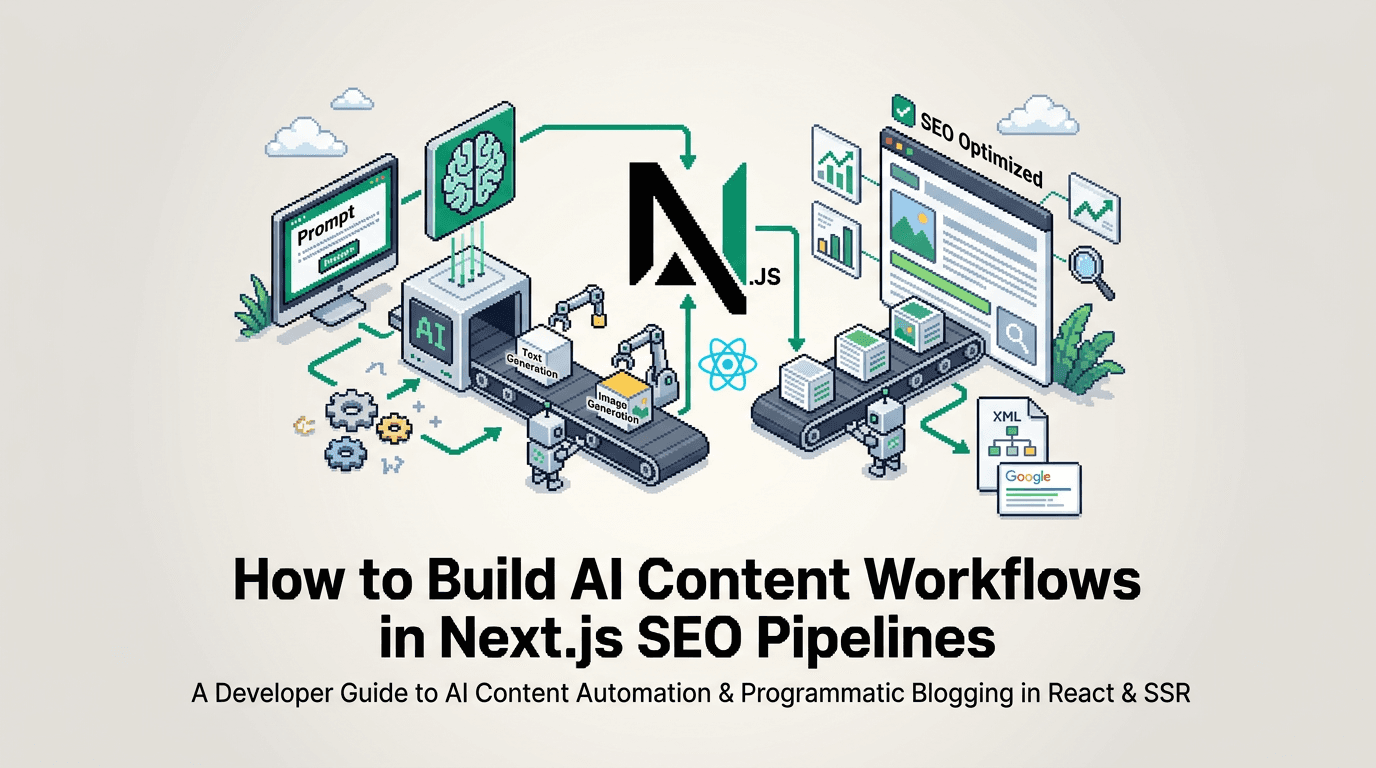
AI content workflows promise consistent publishing without manual toil, but most teams stall on metadata, schema, and reliable deployment. The fix is to treat content as code and wire an automated path from idea to indexed page.
This guide shows developers how to build AI content workflows inside Next.js SEO pipelines. It is for React and Next.js teams who want reliable generation, validation, and publishing at scale. The key takeaway: model content explicitly, enforce SEO at build time, and automate publishing with idempotent, observable jobs.
What AI content workflows solve for Next.js teams
AI can draft copy, but the value arrives when drafts move through a governed pipeline that enforces SEO, links, and cadence.
Common failures in manual pipelines
- Inconsistent titles, descriptions, and canonical tags across posts
- Missing or invalid structured data that blocks rich results
- Manual internal linking leading to thin hubs and orphan pages
- Irregular publishing that prevents search engines from trusting your cadence
What a governed workflow enforces
- Deterministic metadata via a single schema and validators
- Schema.org markup generated from the same source of truth
- Automatic internal links that update as the corpus grows
- A schedule and queue with retries, logging, and audit trail
For a clear reference on structured data types and validation, see Google’s guidelines and the Schema.org documentation: https://developers.google.com/search/docs/appearance/structured-data and https://schema.org/Article.
Architecture for AI content workflows in Next.js
A reliable pipeline separates concerns: generation, validation, storage, rendering, and publishing.
High level flow
- Draft generation: AI produces markdown plus frontmatter in a strict schema.
- Validation: Lint metadata, check required fields, and validate JSON-LD.
- Storage: Commit to a versioned content store or headless source.
- Rendering: Next.js renders MDX with consistent templates and components.
- Publishing: Scheduled releases trigger revalidation, sitemap updates, and pings.
Suggested components
- Content model: Zod or TypeScript interfaces
- Generator: background job invoking an LLM with guardrails
- Validator: unit tests and runtime checks for metadata and links
- Renderer: MDX + Next.js App Router with dynamic metadata
- Publisher: queue with retries, webhooks, and ISR revalidation
Implementing the Next.js SEO pipeline
This section shows how to model content, generate metadata and schema, and render pages with the Next.js Metadata API.
Model your content and metadata
Define a single source of truth for all posts. Use TypeScript and Zod to ensure each draft passes validation.
// lib/content/types.ts
import { z } from "zod";

export const PostSchema = z.object({
  slug: z.string().min(1),
  title: z.string().min(10).max(120),
  excerpt: z.string().min(60).max(200),
  body: z.string().min(500),
  tags: z.array(z.string()).max(10),
  author: z.string(),
  datePublished: z.string(), // ISO
  updatedAt: z.string().optional(),
  canonicalUrl: z.string().url(),
  ogImage: z.string().url().optional(),
  readingTimeMinutes: z.number().min(1),
});
export type Post = z.infer<typeof PostSchema>;
Generate structured data and metadata
Use the content model to derive metadata and JSON-LD so all fields are consistent.
// lib/content/seo.ts
import type { Metadata } from "next";
import type { Post } from "./types";

export function toMetadata(post: Post): Metadata {
  return {
    title: post.title,
    description: post.excerpt,
    alternates: { canonical: post.canonicalUrl },
    openGraph: {
      title: post.title,
      description: post.excerpt,
      url: post.canonicalUrl,
      images: post.ogImage ? [{ url: post.ogImage }] : undefined,
      type: "article",
    },
    twitter: { card: "summary_large_image" },
  };
}

export function toArticleJsonLd(post: Post) {
  return {
    "@context": "https://schema.org",
    "@type": "Article",
    headline: post.title,
    description: post.excerpt,
    datePublished: post.datePublished,
    dateModified: post.updatedAt ?? post.datePublished,
    mainEntityOfPage: post.canonicalUrl,
    author: { "@type": "Person", name: post.author },
  };
}
Learn the Metadata API capabilities in the Next.js docs: https://nextjs.org/docs/app/api-reference/functions/generate-metadata.
Render with the App Router and MDX
Render posts with a stable template so design and SEO remain consistent.
// app/blog/[slug]/page.tsx
import { notFound } from "next/navigation";
import { toMetadata, toArticleJsonLd } from "@/lib/content/seo";
import { getPostBySlug } from "@/lib/content/store";

export async function generateMetadata({ params }: { params: { slug: string } }) {
  const post = await getPostBySlug(params.slug);
  return post ? toMetadata(post) : {};
}

export default async function BlogPostPage({ params }: { params: { slug: string } }) {
  const post = await getPostBySlug(params.slug);
  if (!post) return notFound();

  const jsonLd = toArticleJsonLd(post);

  return (
    <article>
      <script type="application/ld+json" dangerouslySetInnerHTML={{ __html: JSON.stringify(jsonLd) }} />
      <h1>{post.title}</h1>
      <p className="excerpt">{post.excerpt}</p>
      {/* Render MDX body here */}
    </article>
  );
}
For MDX setup guidance, see the official MDX repo: https://mdxjs.com/docs/getting-started/.
Scheduling, queues, and publishing without cron
A reliable AI content workflow needs a predictable cadence, idempotent runs, and safe retries.
Design a publish queue
- Use a single queue with FIFO ordering for posts
- Store a publishAt timestamp and a deterministic job key per slug
- Enforce idempotency so retries do not duplicate posts
// pseudo: enqueue a publish job
await queue.enqueue({
  key: `publish:${post.slug}:${post.updatedAt}`,
  runAt: new Date(post.publishAt),
  payload: { slug: post.slug },
});
Trigger revalidation and sitemaps
- After a publish, call Next.js revalidateTag or revalidatePath
- Regenerate the blog sitemap and ping search engines
// app/api/publish/route.ts
import { revalidatePath } from "next/cache";

export async function POST(req: Request) {
  const { slug } = await req.json();
  // persist post to store, update sitemap source
  revalidatePath(`/blog/${slug}`);
  revalidatePath("/sitemap.xml");
  return Response.json({ ok: true });
}
For sitemap patterns, see the Next.js sitemap guide: https://nextjs.org/docs/app/api-reference/file-conventions/metadata/sitemap.
Internal linking and indexation at scale
Internal links teach crawlers your site structure and priorities. Automate them from the same content graph.
Build automatic related links
- Compute similarity using embeddings or term overlap
- Enforce a minimum of 3 in-post links to relevant hubs
- Update links when new content is added
// lib/content/links.ts
export function relatedLinks(slug: string, all: { slug: string; tags: string[] }[]) {
  // naive overlap similarity by tags
  const current = all.find(p => p.slug === slug)!;
  return all
    .filter(p => p.slug !== slug)
    .map(p => ({ slug: p.slug, score: p.tags.filter(t => current.tags.includes(t)).length }))
    .filter(x => x.score > 0)
    .sort((a, b) => b.score - a.score)
    .slice(0, 5);
}
Govern anchors and placement
- Insert links near the first third of the article for discovery
- Use descriptive anchors that match the target H2 heading
- Avoid overlinking the same anchor text across many pages
For crawl budget and internal linking strategy, this guide from Google Search Central is a solid reference: https://developers.google.com/search/docs/fundamentals/seo-starter-guide.
Choosing tools for AI blog automation
You can stitch a pipeline with open tools or adopt an SEO automation tool built for React and Next.js.
Build vs adopt
Here is a concise comparison to help decide.
| Option | Control | Time to first publish | SEO enforcement | Maintenance |
|---|---|---|---|---|
| Custom pipeline with open tools | High | Slow | Depends on tests | Ongoing |
| SEO automation tool for Next.js | Medium | Fast | Built in validators | Low |
Evaluate tools based on metadata coverage, schema generation, sitemap automation, and internal linking capabilities. For example, AutoBlogWriter focuses on automated programmatic SEO and publishing for Next.js and React apps: https://autoblogwriter.app/.
Example: wiring a generation job
This example shows a job that converts a prompt and topic into a validated post and schedules it.
The generation job
// jobs/generatePost.ts
import { PostSchema } from "@/lib/content/types";
import { upsertPost } from "@/lib/content/store";
import { enqueuePublish } from "@/lib/queue";

export async function generatePost(topic: string) {
  const draft = await aiGenerateMarkdownAndFrontmatter({ topic });
  const parsed = PostSchema.safeParse(draft);
  if (!parsed.success) throw new Error("invalid post schema");

  await upsertPost(parsed.data);
  await enqueuePublish({ slug: parsed.data.slug, publishAt: nextAvailableSlot() });
}
Guardrails to add
- Validate that the title contains the primary keyword intent
- Ensure excerpt length and no em dashes per style guide
- Reject posts without at least three internal links
- Fail the job if JSON-LD fails a validator
Monitoring, rollbacks, and QA gates
Production pipelines need visibility and safe failure modes.
What to measure
- Job success rate and retries per publish
- Validation failure counts by rule
- Revalidation and sitemap update latencies
Add approval and rollback
- Use a status state machine: draft, approved, scheduled, published
- Allow cancel before publish and soft delete after publish with redirect rules
- Keep an audit trail of who approved and when
AI content workflows keyword strategy in practice
To make AI content workflows drive search outcomes, align topics with your product and implement a repeatable cadence.
Topic selection and batching
- Group posts by product-led themes and intents
- Batch generate briefs so headings map to actual queries
- Spread related posts over weeks to keep hubs fresh
Cadence and reprocessing
- Choose a steady schedule you can sustain
- Revisit top posts quarterly to refresh metadata and links
- Backfill internal links to new hubs when they launch
For keyword research fundamentals, Ahrefs and Moz have strong starter guides: https://ahrefs.com/blog/keyword-research/ and https://moz.com/beginners-guide-to-seo/keyword-research.
Integrations with WordPress and Shopify
Many teams need to cross post while keeping Next.js as the canonical presentation or marketing site.
Cross platform publishing patterns
- Use canonical tags to designate the primary URL
- Normalize slugs and map redirects to avoid duplicates
- Sync media assets and alt text consistently
Safe automation tips
- Respect API rate limits and add backoff
- Make publishes idempotent using deterministic job keys
- Log external IDs from WordPress or Shopify for traceability
Shopify and WordPress developer docs are the best references for API limits and models: https://shopify.dev/docs/api and https://developer.wordpress.org/rest-api/.
Putting it all together with a Next.js SDK
A dedicated Next.js blog SDK can collapse months of plumbing into a few files by handling metadata, schema, sitemaps, and React components.
What to expect from a Next.js first SDK
- Helpers to fetch posts and derive Metadata
- React components for list, post, and related links
- Automatic sitemap and JSON-LD generation from the same schema
Example skeleton
// app/blog/[slug]/page.tsx
import { BlogPost } from "some-blog-sdk/react";
import { generatePostMetadata } from "some-blog-sdk";

export async function generateMetadata({ params }: { params: { slug: string } }) {
  return generatePostMetadata(params.slug);
}

export default async function Page({ params }: { params: { slug: string } }) {
  return <BlogPost slug={params.slug} />;
}
If you want an SDK built specifically for React and Next.js with automated metadata, schema, and sitemap generation plus internal linking, explore AutoBlogWriter’s developer docs: https://docs.autoblogwriter.app/.
Key Takeaways
- Treat content as code with a strict schema and validators.
- Use the Next.js Metadata API to derive metadata from one source of truth.
- Automate internal linking and sitemaps to keep the corpus connected.
- Schedule with idempotent jobs and approval gates for reliability.
- Measure failures, retries, and revalidation times to maintain trust.
A small amount of upfront structure unlocks dependable AI content workflows that ship high quality posts on a predictable cadence.
Frequently Asked Questions
- What is an AI content workflow in Next.js?
- A governed pipeline that generates, validates, and publishes content with enforced metadata, schema, internal links, and a predictable schedule.
- Which Next.js APIs are essential for SEO?
- Use generateMetadata for per page tags, route handlers for publish webhooks, ISR revalidation, and a sitemap file for discoverability.
- How do I avoid duplicate content when cross posting?
- Set a canonical URL to the primary page, keep slugs consistent, and ensure sitemaps and internal links point to the canonical version.
- Do I need MDX for AI generated posts?
- MDX is optional but useful. It lets you keep design consistent via React components while storing content as markdown.
- Can I start without a CMS?
- Yes. Store validated markdown in Git or a simple JSON store, then render in Next.js with a metadata and sitemap generator.