How to Build Programmatic SEO Content in Next.js
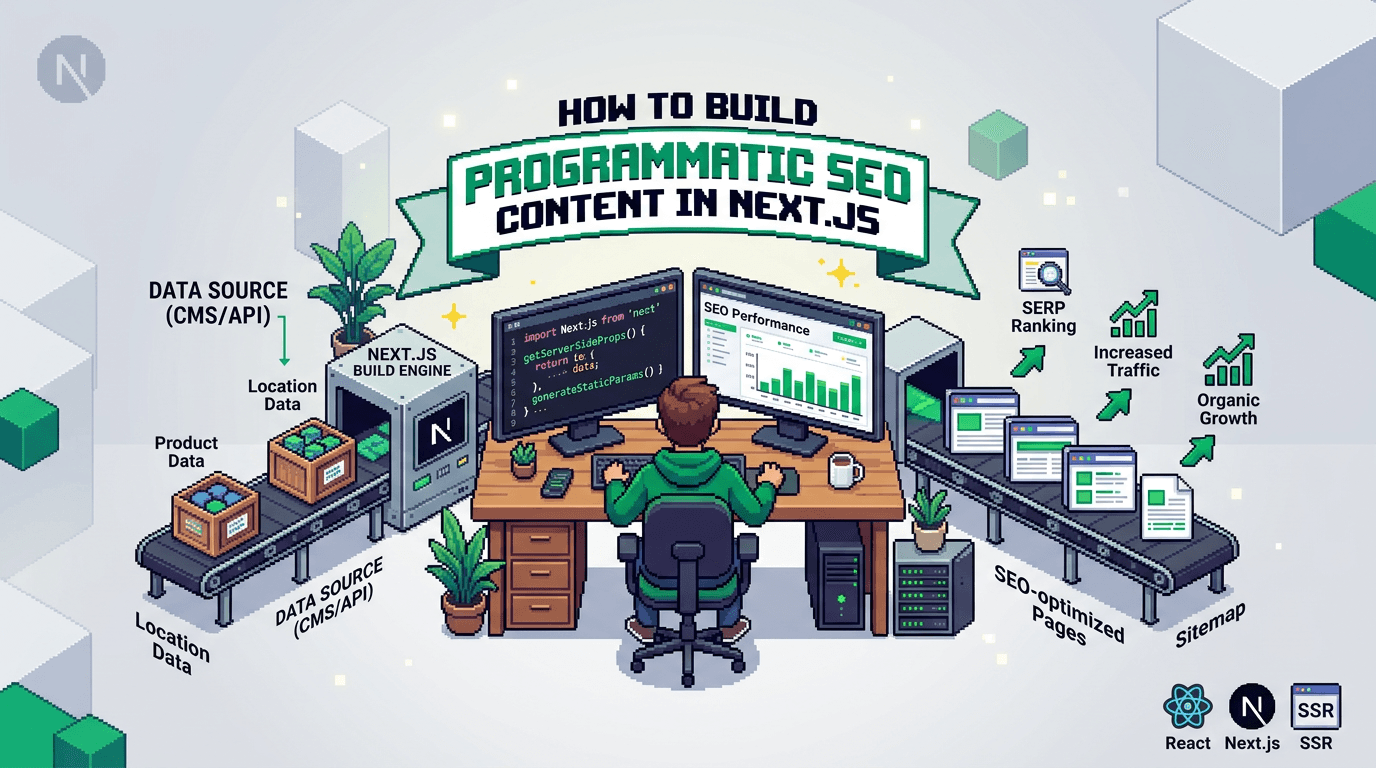
Programmatic SEO can turn a few structured inputs into thousands of useful, indexable pages. The challenge is doing it safely in a modern React stack without duplicate content, brittle metadata, or manual publishing toil.
This guide shows React and Next.js developers how to plan, generate, and ship programmatic SEO content with reliable metadata, schema, sitemaps, and internal linking. It is for teams building SSR apps that want scalable content without a traditional CMS. Key takeaway: design your content model first, then automate generation and a governed publish path in Next.js.
What is programmatic SEO content and when to use it
Programmatic SEO content is a set of pages generated from a structured dataset, each targeting a specific query pattern. Think locations, templates, or feature comparisons where the intent repeats with different entities.
Common patterns and examples
- Location pages: pricing or availability by city or region.
- Directory pages: lists of tools, partners, or docs by category.
- Comparison pages: X vs Y feature matrices or alternatives.
- Template galleries: snippet libraries or example configs bound to a product.
When programmatic SEO is a good fit
- You have high-intent query patterns with many entities to cover.
- You can ensure unique value per page beyond a swapped noun.
- You can maintain data freshness and avoid thin content.
When to avoid it
- You lack differentiated data or utility beyond boilerplate.
- You cannot keep pages updated or resolve duplication.
- Search intent is informational but requires deep editorial nuance.
Plan the content model before writing code
A solid content model prevents template drift, broken metadata, and internal linking gaps.
Define entities and attributes
- Identify the entity type (city, tool, integration, template).
- List attributes required for on-page sections, metadata, and schema.
- Mark required vs optional fields; set validation rules and defaults.
Map attributes to sections and SEO fields
- Title and H1 are separate in many stacks; in this guide the page title is outside the content. Map entity attributes to page title, meta title, and URL slug.
- Define how description, canonical, and Open Graph fields derive from attributes.
Decide URL strategy and canonical rules
- Use stable slugs: kebab-case, lowercase, and idempotent.
- Set canonicalization rules for duplicates and disambiguation.
- Plan pagination and faceted filters to avoid crawl bloat.
Implement programmatic SEO in Next.js
This section uses the Next.js App Router mental model. Adapt paths as needed for the Pages Router.
Directory and route structure
- /app/[collection]/[slug]/page.tsx renders entity pages.
- /app/[collection]/layout.tsx sets shared UI and metadata defaults.
- /app/sitemap.ts and robots.txt manage discovery at scale.
Example data shape
// lib/types.ts
export type Tool = {
  slug: string;
  name: string;
  category: string;
  description: string;
  features: string[];
  url: string;
  updatedAt: string; // ISO
  image: string; // absolute or /public path
};
Data access layer
// lib/data.ts
import tools from "../data/tools.json" assert { type: "json" };
import type { Tool } from "./types";

export function allTools(): Tool[] {
  return tools;
}

export function getToolBySlug(slug: string): Tool | undefined {
  return allTools().find(t => t.slug === slug);
}
Route and metadata in the App Router
// app/tools/[slug]/page.tsx
import { getToolBySlug } from "@/lib/data";
import type { Metadata } from "next";

export async function generateStaticParams() {
  // Pre-generate all tool pages
  return (await import("@/lib/data")).allTools().map(t => ({ slug: t.slug }));
}

export async function generateMetadata({ params }: { params: { slug: string } }): Promise<Metadata> {
  const tool = getToolBySlug(params.slug);
  if (!tool) return { title: "Tool not found" };
  const title = `${tool.name} features and alternatives`;
  const description = `${tool.name} overview, key features, and best alternatives in ${tool.category}.`;
  const url = `https://example.com/tools/${tool.slug}`;
  return {
    title,
    description,
    alternates: { canonical: url },
    openGraph: {
      title,
      description,
      url,
      images: [{ url: tool.image }]
    },
    twitter: { card: "summary_large_image", title, description }
  };
}

export default function ToolPage({ params }: { params: { slug: string } }) {
  const tool = getToolBySlug(params.slug);
  if (!tool) return null;
  return (
    <main>
      <h1>{tool.name}</h1>
      <p>{tool.description}</p>
      <section>
        <h2>Key features</h2>
        <ul>{tool.features.map(f => <li key={f}>{f}</li>)}</ul>
      </section>
    </main>
  );
}
Server rendering and caching
- Use static generation with revalidation for stable datasets.
- For frequently changing data, implement route segment revalidation via webhooks.
- Keep per-page payloads small to protect TTFB and LCP.
Programmatic SEO template structure that scales
Your template determines perceived quality and usefulness at scale.
Essential sections per page
- Value-forward intro tied to the entity.
- Feature or attribute overview in scannable bullets.
- Comparison or alternatives table where relevant.
- Links to related entities for crawl paths and user flow.
Avoid thin or duplicate content
- Add entity-specific stats, configurations, or FAQs.
- Generate examples, code, or screens tied to the entity.
- Ensure at least one unique, non-synonymized paragraph per page.
Internal linking and discovery
- Surfaces: category hubs, related items, and breadcrumb paths.
- Algorithm: link each entity to 3 to 5 related nodes by category or attribute similarity.
- Keep anchor text descriptive and varied.
Metadata, schema, and sitemap automation in Next.js
Automate metadata and structured data to prevent drift across thousands of pages.
Metadata with the Next.js Metadata API
- Centralize defaults in app/layout.tsx.
- Derive meta title and description from the entity with safe truncation.
- Always set canonical and Open Graph tags.
// app/layout.tsx
export const metadata = {
  metadataBase: new URL("https://example.com"),
  title: { default: "Example", template: "%s | Example" },
  description: "Entity directory for tools and templates"
};
Schema markup generation
- Choose the closest type: SoftwareApplication, Product, Place, Article.
- Output JSON-LD with only validated fields to avoid warnings.
// components/Schema.tsx
export function SoftwareSchema({ name, url, image }: { name: string; url: string; image: string }) {
  const json = {
    "@context": "https://schema.org",
    "@type": "SoftwareApplication",
    name,
    url,
    image
  };
  return <script type="application/ld+json" dangerouslySetInnerHTML={{ __html: JSON.stringify(json) }} />;
}
Sitemap and robots
- Generate sitemaps from the same dataset powering pages.
- Split large sitemaps into indexed parts at 50k URLs or less.
// app/sitemap.ts
import { allTools } from "@/lib/data";
export default async function sitemap() {
  const base = "https://example.com";
  return allTools().map(t => ({ url: `${base}/tools/${t.slug}`, lastModified: t.updatedAt }));
}
Content generation workflow and safety checks
Automate creation while enforcing quality and governance.
Deterministic generation pipeline
- Inputs: canonical dataset, templates, and prompt scaffolds.
- Steps: validate data, generate draft, lint content, and store as Markdown.
- Determinism: fixed temperature and seeded choices for repeatability.
Linting and validation
- Enforce required headings and minimum word counts.
- Check link targets, broken anchors, and missing assets.
- Verify schema required fields and meta length limits.
Approval and publishing
- Queue drafts, run human spot checks, then schedule in batches.
- Maintain an audit log with idempotent publish attempts and rollbacks.
- Revalidate ISR after publish using webhooks.
Internal linking automation at scale
Internal links distribute authority and improve discovery.
Graph-based linking
- Build a similarity graph using categories, tags, or cosine similarity on embeddings.
- Limit outlinks to a fixed window to avoid bloat and keep pages readable.
Placement and anchor strategy
- Place related links near the top summary and again near the conclusion.
- Mix anchor text variants for natural language while keeping clarity.
Hubs and pagination
- Create category hubs with stable URLs and paginated indexes.
- Include next and prev rel links where it helps crawlers and users.
Example: a minimal programmatic page factory
Below is a simplified factory that turns an entity into content sections and metadata.
// lib/factory.ts
import type { Tool } from "./types";

export function metaForTool(t: Tool) {
  const title = `${t.name} features and best alternatives`;
  const description = `${t.name} overview with features, pros and cons, and similar tools in ${t.category}.`;
  return { title, description, canonical: `https://example.com/tools/${t.slug}` };
}

export function bodyForTool(t: Tool): string {
  return `## Overview\n\n${t.description}\n\n## Features\n\n${t.features.map(f => `- ${f}`).join("\n")}\n\n## Alternatives\n\nSee related tools in the ${t.category} category.`;
}
Use this factory with your route to generate Markdown content and render via MDX or a React component.
Tooling comparison for Next.js programmatic SEO
Here is a quick comparison of common approaches to building and maintaining a programmatic SEO stack.
| Approach | Best for | Pros | Cons |
|---|---|---|---|
| Hand-rolled code only | Small catalogs, full control | Zero vendor lock, total flexibility | More boilerplate, governance takes time |
| Headless CMS + Next.js | Editorial teams, mixed sources | Roles, content APIs, UI for edits | Extra infra, custom SEO validation needed |
| Programmatic automation layer | Dev-first SaaS teams | Enforced metadata, schema, sitemaps, internal links | Learning curve, model your data first |
Next.js SEO checklist for programmatic content
Use this runbook before scaling to thousands of URLs.
Data and content
- Entity attributes mapped to sections and meta fields.
- Unique value added per page beyond string substitution.
- Versioned dataset and deterministic generation config.
Rendering and performance
- Static or ISR with measured TTFB and LCP.
- Image dimensions and lazy loading set correctly.
- Route segments generate params from the canonical dataset.
SEO and governance
- Metadata API wired with titles, descriptions, and canonical.
- JSON-LD present with validated required fields.
- Sitemaps and robots up to date with route coverage.
- Internal linking graph generated and tested.
- Approval gates and audit trail on publish.
Programmatic SEO examples you can ship this week
Concrete patterns that align with real search intent.
Alternatives pages
- Query pattern: tool alternatives and competitors.
- Data: feature vectors and categories.
- Template: summary, pros and cons bullets, comparison table, and links to each alternative.
Location service pages
- Query pattern: service in city or region.
- Data: coverage areas, local info, and constraints.
- Template: localized intro, pricing notes, service availability, and nearby regions.
Integration directories
- Query pattern: product X integration with Y.
- Data: supported features and setup steps.
- Template: overview, capabilities matrix, step guide, and related integrations.
How AutoBlogWriter can help
AutoBlogWriter is built for React and Next.js teams that want programmatic SEO without a CMS. It automates the pipeline from draft to publish with deterministic outputs.
What you get out of the box
- Built in metadata generation using the Next.js Metadata API patterns.
- Automatic schema markup and sitemaps derived from your dataset.
- Drop in React components to render lists and post pages.
- Automated internal linking based on your content graph.
How it fits your stack
- Works with SSR and ISR, plus webhooks for revalidation.
- Agentic run that can generate a post, image, and social copy in one pass.
- Zero touch validate to draft to schedule to publish path with audit logs.
If you need a developer friendly, deterministic programmatic SEO workflow, this approach lets you scale safely while keeping control in your codebase.
Key Takeaways
- Start with a well defined content model and stable slugs before coding templates.
- Use the Next.js Metadata API, JSON LD, and sitemaps generated from the same dataset.
- Enforce unique value per page and automate internal linking with a graph.
- Ship with deterministic generation, validations, and a governed publish queue.
- Measure performance and revalidation flows before scaling to thousands of URLs.
A careful model plus automated SEO execution turns Next.js into a reliable programmatic SEO engine.
Frequently Asked Questions
- What is programmatic SEO content?
- A scalable set of pages generated from structured data and a shared template, each targeting a repeatable query pattern like locations, comparisons, or directories.
- How do I avoid duplicate content at scale?
- Use stable slugs, canonical tags, unique on page value per entity, and internal linking. Deduplicate inputs and set explicit canonical rules.
- Should I use ISR or full static generation?
- Use static generation for stable datasets and ISR with webhook revalidation for content that changes periodically or needs scheduled updates.
- Which schema types work for these pages?
- Pick the closest fit such as SoftwareApplication, Product, Place, or Article. Include only validated fields to avoid warnings.
- How many internal links should each page include?
- Link to 3 to 5 closely related pages with descriptive anchors. Add links in both top summary and near the conclusion for discovery.