Next.js SEO Guide: Programmatic Content That Scales
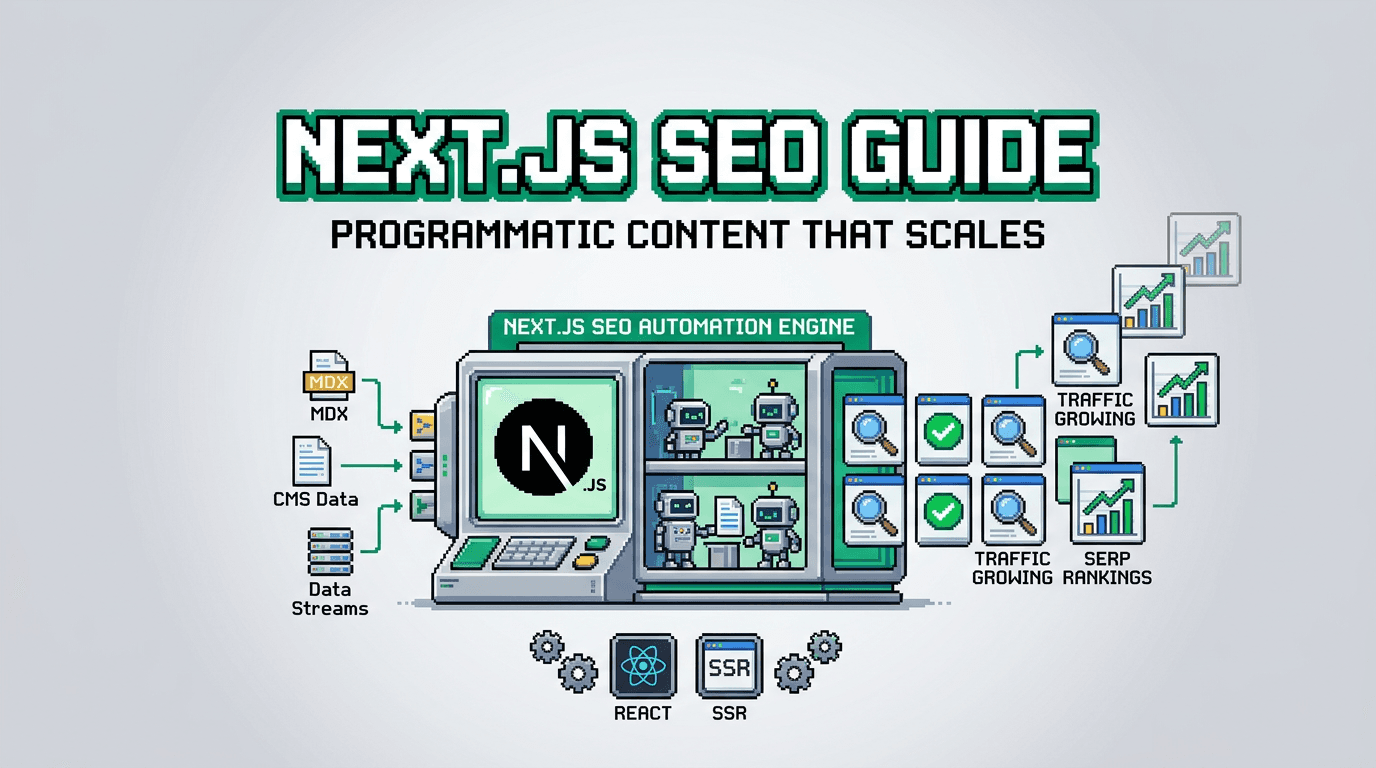
Shipping content by hand breaks at 10 posts, then implodes at 100. In Next.js, SEO is code, and code wants automation.
This guide shows how to implement programmatic SEO in Next.js: automated metadata, schema, sitemaps, and internal linking with a reproducible publishing pipeline. It is for React and Next.js developers at SaaS teams who want reliable, scalable SEO execution without a traditional CMS. Key takeaway: treat SEO as data plus code and automate everything you can.
What is programmatic SEO in Next.js
Programmatic SEO is a system that turns structured data into pages with consistent metadata, schema, and internal links. In Next.js, this means generating routes from data and enforcing SEO rules in code.
Why it fits Next.js
- File based routing and App Router support predictable URL creation.
- Server components and data fetching make it easy to hydrate pages with canonical data.
- The Metadata API centralizes tags, canonicals, and Open Graph in one place.
Common pitfalls to avoid
- Mixing client only content with SEO critical fields that never render server side.
- Inconsistent slugs and duplicate titles across routes.
- Missing canonical tags on near duplicate templates.
Next.js SEO fundamentals that never fail
Get these right before scaling programmatic content.
Routing, slugs, and canonical URLs
- Use stable slug generators to ensure idempotent paths.
- Always emit a canonical URL to the primary page.
- Keep dynamic segments human readable and predictable.
Metadata API usage
- Centralize title, description, open graph, and twitter in generateMetadata.
- Propagate canonical and alternate languages from one source.
- Validate lengths and fallbacks at build or request time.
// app/blog/[slug]/page.tsx
import { fetchPost } from "@/lib/data";
import type { Metadata } from "next";

export async function generateMetadata({ params }: { params: { slug: string } }): Promise<Metadata> {
  const post = await fetchPost(params.slug);
  const title = post.seoTitle ?? `${post.title} | Acme`;
  const description = post.seoDescription ?? post.excerpt.slice(0, 155);
  const url = `https://example.com/blog/${post.slug}`;

  return {
    title,
    description,
    alternates: { canonical: url },
    openGraph: { title, description, url, type: "article" },
    twitter: { card: "summary_large_image", title, description }
  };
}
Data model for programmatic SEO content
A predictable content schema keeps templates simple and output consistent.
Minimal content schema
- id, slug, title, excerpt
- body (md or mdx)
- seoTitle, seoDescription
- image, publishedAt, updatedAt
- tags, entities (used for internal linking)
export type Post = {
  id: string;
  slug: string;
  title: string;
  excerpt: string;
  body: string; // markdown or mdx
  image?: string;
  seoTitle?: string;
  seoDescription?: string;
  publishedAt: string;
  updatedAt?: string;
  tags: string[];
  entities?: { type: "feature" | "usecase"; slug: string; label: string }[];
};
Deterministic slugging and URLs
- Lowercase, dash separated, strip punctuation.
- Include stable IDs only if collisions are possible.
- Keep route factories pure so re runs do not change URLs.
export function toSlug(s: string) {
  return s
    .toLowerCase()
    .replace(/[^a-z0-9\s-]/g, "")
    .trim()
    .replace(/\s+/g, "-")
    .replace(/-+/g, "-");
}
Schema markup and structured data
Structured data clarifies intent for crawlers and powers rich results.
Article, Breadcrumb, and FAQ
- Use Article for blog posts, including headline, datePublished, dateModified, author, and image.
- Emit BreadcrumbList across blog pages.
- Only add FAQ if Q and A content exists on the page.
// app/blog/[slug]/Schema.tsx
export function ArticleSchema({ post }: { post: Post }) {
  const json = {
    "@context": "https://schema.org",
    "@type": "Article",
    headline: post.title,
    datePublished: post.publishedAt,
    dateModified: post.updatedAt ?? post.publishedAt,
    author: { "@type": "Organization", name: "Acme" },
    image: post.image,
    mainEntityOfPage: `https://example.com/blog/${post.slug}`
  };
  return <script type="application/ld+json" dangerouslySetInnerHTML={{ __html: JSON.stringify(json) }} />;
}
Validating schema in code
- Create a zod schema for your JSON LD payloads.
- Validate before render and log failures in observability tools.
import { z } from "zod";
const ArticleLD = z.object({
  "@context": z.literal("https://schema.org"),
  "@type": z.literal("Article"),
  headline: z.string().min(10),
  datePublished: z.string(),
  dateModified: z.string().optional(),
  author: z.object({ "@type": z.string(), name: z.string() }),
  image: z.string().url().optional(),
  mainEntityOfPage: z.string().url()
});
Internal linking automation
Automated internal links distribute authority and improve crawl paths at scale.
Link rules and anchor selection
- Map tags and entities to hub pages.
- Limit per paragraph links and avoid linking the same anchor repeatedly.
- Insert links in server rendered HTML to guarantee indexable anchors.
type LinkRule = { anchor: RegExp; href: string; rel?: string };

export function autolink(html: string, rules: LinkRule[]): string {
  // naive example: replace first eligible match per rule
  return rules.reduce((acc, r) => acc.replace(r.anchor, (m) => `<a href="${r.href}">${m}</a>`), html);
}
Navigation structure and sitemaps
- Generate a sitemap index and child sitemaps by collection.
- Include lastmod using updatedAt for freshness.
// app/sitemap.ts
import { getAllPosts } from "@/lib/data";
export default async function sitemap() {
  const posts = await getAllPosts();
  return [
    { url: "https://example.com/", lastModified: new Date() },
    ...posts.map((p) => ({ url: `https://example.com/blog/${p.slug}`, lastModified: new Date(p.updatedAt ?? p.publishedAt) }))
  ];
}
Rendering strategies for SEO in the App Router
Pick rendering per template rather than globally.
SSG, ISR, and SSR tradeoffs
- SSG: fastest, great for stable content. Pair with revalidation hooks when content updates.
- ISR: near live freshness without full rebuilds.
- SSR: use sparingly when content is highly dynamic or user specific, but do not SSR for anonymous SEO pages that rarely change.
Handling pagination and indexation
- Paginate with stable query params like ?page=2.
- Add rel prev and next where relevant.
- Avoid indexing empty or thin pages. Return 404 or noindex appropriately.
End to end programmatic publishing workflow
Turning data into published, indexable pages requires a queue and policy checks.
Pipeline stages
- Ingest: fetch or generate content and normalize to the Post type.
- Validate: run lint rules for title length, description length, h2 density, link count, and schema shape.
- Render: compile MDX server side, insert internal links, and compute metadata.
- Publish: write content to storage, trigger ISR revalidation, and update sitemaps.
type PublishEvent = { type: "publish"; slug: string };

export async function publishPost(post: Post) {
  await save(post);                       // durable storage
  await revalidatePath(`/blog/${post.slug}`); // Next.js cache invalidation
  await pingSearchEngines();               // sitemap ping
}
Governance and safety
- Idempotent publishes keyed by slug and version.
- Approval gates for scheduled content.
- Rollback by version if validation fails post release.
Programmatic SEO examples you can ship this week
Concrete ideas that align to Next.js strengths.
Topic hubs with parameterized case studies
- Route: /solutions/[industry]
- Data: industry name, pains, relevant features, 3 case blurbs
- Output: industry page plus internal links to related posts and docs
Feature pattern pages
- Route: /features/[capability]
- Data: capability name, benefits, API snippets, pricing notes
- Output: capability pages with consistent schema and CTAs
Tooling comparison for Next.js SEO workflows
Here is a quick comparison to help choose your stack for programmatic content.
| Tool | Primary use | Rendering fit | Schema and metadata | Internal linking | Publishing flow |
|---|---|---|---|---|---|
| Next.js built in | App + routing | SSG, ISR, SSR | Metadata API, manual JSON LD | Custom | Manual or custom queue |
| Headless CMS | Content storage | Any via API | Often partial helpers | Manual or plugin | Editorial first |
| AutoBlogWriter | Automated programmatic blog | SSG + ISR | Built in metadata and schema | Automated | Queue with scheduling |
Putting it together in a minimal starter
This skeleton shows how the parts connect in a Next.js app.
// app/blog/[slug]/page.tsx
import { notFound } from "next/navigation";
import { fetchPost, allLinkRules } from "@/lib/data";
import { compileMdxToHtml } from "@/lib/mdx";
import { autolink } from "@/lib/links";
import { ArticleSchema } from "./Schema";

export default async function PostPage({ params }: { params: { slug: string } }) {
  const post = await fetchPost(params.slug);
  if (!post) return notFound();
  const html = await compileMdxToHtml(post.body);
  const linked = autolink(html, allLinkRules(post));
  return (
    <article>
      <h1>{post.title}</h1>
      <p className="excerpt">{post.excerpt}</p>
      <div dangerouslySetInnerHTML={{ __html: linked }} />
      <ArticleSchema post={post} />
    </article>
  );
}
Where AutoBlogWriter fits
If you prefer to focus on your app, not the blog plumbing, AutoBlogWriter provides a developer first pipeline for programmatic SEO in Next.js.
What it automates
- Generation of production ready articles in markdown.
- Metadata, JSON LD schema, and sitemaps.
- Internal linking across new and existing posts.
- Scheduling, approval gates, and idempotent publishes.
How it integrates
- SDK for fetching posts and generating metadata.
- Drop in React components for post and list pages.
- Works with SSG and ISR in the App Router.
// Example integration
import { fetchBlogPost, generatePostMetadata } from "@autoblogwriter/sdk";

export async function generateMetadata({ params }) {
  return generatePostMetadata(params.slug);
}

export default async function Page({ params }) {
  const post = await fetchBlogPost(params.slug);
  return <PostView post={post} />;
}
Next.js SEO checklist for programmatic content
Use this as a pre launch gate before publishing at scale.
Page level checks
- Unique title within 60 chars and description within 160 chars.
- Canonical URL points to the primary version.
- At least one h2 and scannable paragraphs.
Site level checks
- Sitemap and robots.txt are present and correct.
- Internal linking connects every leaf to at least one hub.
- Revalidation or publishing webhooks are tested in preview and production.
Key Takeaways
- Programmatic SEO in Next.js treats SEO as data plus code and scales with automation.
- Use the Metadata API, JSON LD, sitemaps, and internal linking as enforceable rules.
- Prefer SSG or ISR for SEO pages and keep URL slugs deterministic.
- Validate content and schema before publish and use idempotent queues.
- Consider AutoBlogWriter if you want a maintained pipeline and SDK.
Ship small, verify the pipeline, then scale confidently.
Frequently Asked Questions
- What is the primary benefit of programmatic SEO in Next.js?
- It lets you scale content with consistent metadata, schema, and internal links enforced in code, reducing manual errors.
- Should I use SSR for SEO pages in Next.js?
- Prefer SSG or ISR for public SEO pages. Use SSR only when content is highly dynamic and must be fresh per request.
- How do I prevent duplicate content across similar pages?
- Emit canonical URLs, keep unique titles and descriptions, and consolidate thin variants to a single canonical page.
- Do I need a CMS to implement this?
- No. You can store markdown in files or a database. A CMS helps editorial workflows, but SEO rules live in your Next.js code.