How to build a blog automation workflow for Next.js
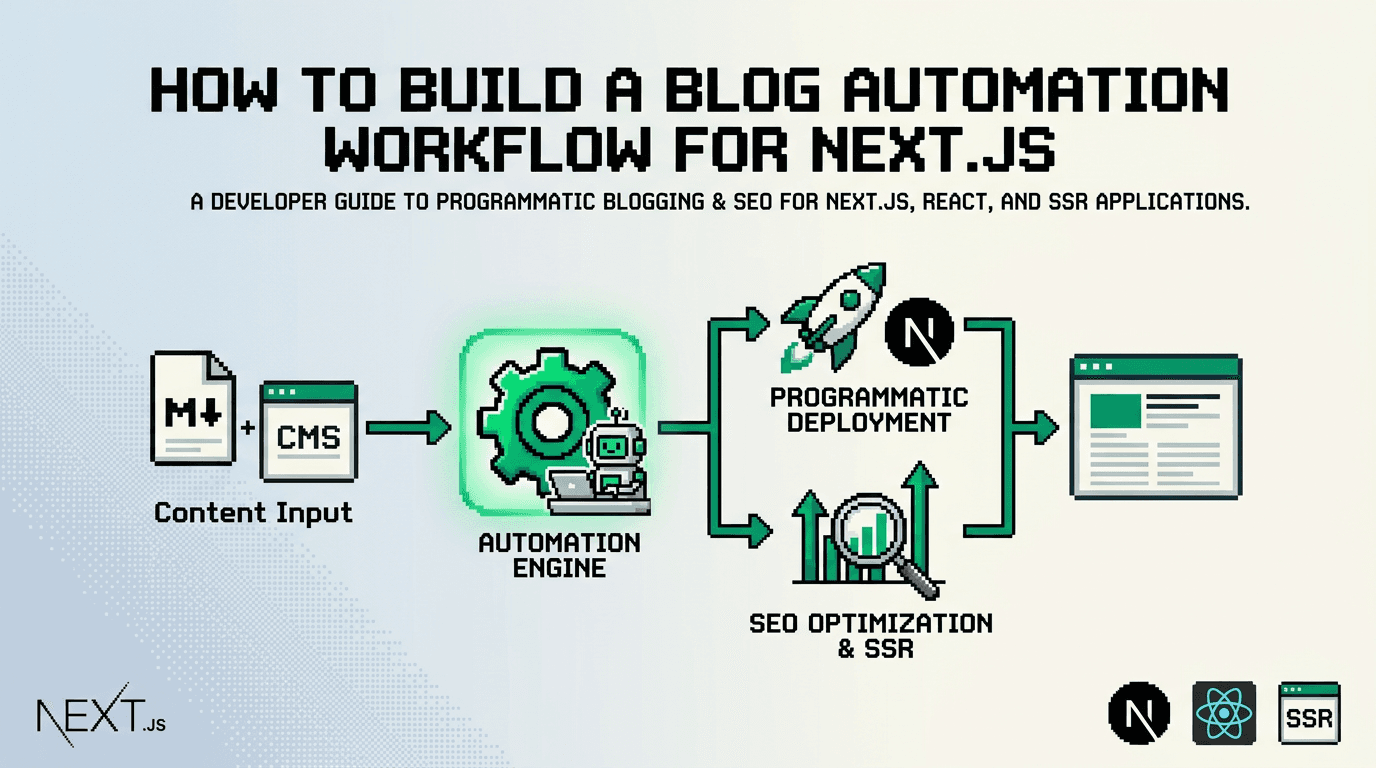
Publishing one well structured post is easy. Shipping ten per week with perfect metadata, schema, internal links, and predictable scheduling is where most Next.js teams stall.
This guide shows developers how to build a production ready blog automation workflow in Next.js. It covers architecture, the Next.js Metadata API, sitemaps, schema, internal linking, scheduling, and CI integration. For React and Next.js teams that want consistent output, the key takeaway is to treat content as code and enforce SEO in the pipeline, not at the editor’s desk.
What is a blog automation workflow in Next.js?
A blog automation workflow is a repeatable pipeline that ingests content, validates SEO requirements, renders pages, and publishes on a schedule with minimal manual steps. In Next.js, this often combines static generation or SSR, the Metadata API, schema generation, and a queue based publisher.
Why developers need automation
- Manual metadata and schema drift leads to inconsistent SERP snippets.
- Hand built sitemaps and missed revalidation cause indexing gaps.
- Ad hoc internal linking fails to scale beyond a few dozen posts.
Primary keyword and intent
If your goal is programmatic seo at scale, automation is the enabler. We will reference programmatic approaches and show how to encode rules in code and CI so they run on every post.
Architecture overview for a reliable pipeline
A clear architecture prevents surprises in production. Use a content source, a validator, a renderer, and a publisher.
Core components
- Source: Markdown or MDX in a repo, a headless CMS, or a generator feed.
- Validator: Lints frontmatter, validates metadata and schema, checks internal links.
- Renderer: Next.js routes that render posts and lists with consistent components.
- Publisher: A queue that schedules publish times and triggers ISR revalidation.
Example data flow
- Author or generator creates content with required fields.
- CI validates metadata, schema, and links.
- On success, content merges to main, enqueued for release.
- At publish time, a webhook revalidates affected routes and sitemaps.
Implementing the Next.js SEO foundation
Lock in the basics first: metadata, sitemaps, and structured data.
Metadata with the Next.js Metadata API
The Next.js metadata API centralizes titles, descriptions, Open Graph, and canonicals.
// app/blog/[slug]/page.tsx
import { notFound } from 'next/navigation'
import { getPostBySlug } from '@/lib/posts'

export async function generateMetadata({ params }: { params: { slug: string } }) {
  const post = await getPostBySlug(params.slug)
  if (!post) return {}
  return {
    title: post.seoTitle ?? post.title,
    description: post.description,
    alternates: { canonical: `/blog/${post.slug}` },
    openGraph: {
      title: post.seoTitle ?? post.title,
      description: post.description,
      type: 'article',
      url: `https://example.com/blog/${post.slug}`,
      images: post.ogImage ? [post.ogImage] : []
    },
    twitter: { card: 'summary_large_image' }
  }
}

export default async function BlogPostPage({ params }: { params: { slug: string } }) {
  const post = await getPostBySlug(params.slug)
  if (!post) notFound()
  return <article dangerouslySetInnerHTML={{ __html: post.html }} />
}
Sitemap generation and revalidation
Automate discovery for crawlers by exporting a dynamic sitemap and revalidating on publish.
// app/sitemap.ts
import { getAllPostSlugs } from '@/lib/posts'

export default async function sitemap() {
  const slugs = await getAllPostSlugs()
  const base = 'https://example.com'
  const now = new Date().toISOString()
  return [
    { url: `${base}/`, lastModified: now, changeFrequency: 'weekly', priority: 1 },
    ...slugs.map((slug) => ({
      url: `${base}/blog/${slug}`,
      lastModified: now,
      changeFrequency: 'weekly',
      priority: 0.7
    }))
  ]
}
When a post publishes, call revalidatePath for pages and sitemaps.
// app/api/publish/route.ts
import { revalidatePath } from 'next/cache'

export async function POST(req: Request) {
  const { slug } = await req.json()
  revalidatePath(`/blog/${slug}`)
  revalidatePath('/sitemap.xml')
  return Response.json({ ok: true })
}
Schema markup for articles
Add JSON LD for Article so search engines understand your content.
// components/ArticleSchema.tsx
export function ArticleSchema({ post }: { post: any }) {
  const data = {
    '@context': 'https://schema.org',
    '@type': 'Article',
    headline: post.title,
    description: post.description,
    author: [{ '@type': 'Person', name: post.author }],
    datePublished: post.publishedAt,
    dateModified: post.updatedAt ?? post.publishedAt,
    mainEntityOfPage: `https://example.com/blog/${post.slug}`
  }
  return <script type="application/ld+json" dangerouslySetInnerHTML={{ __html: JSON.stringify(data) }} />
}
Content model and validation rules
Define a strict frontmatter schema and enforce it in CI to prevent SEO drift.
Recommended frontmatter fields
- title: Required, human readable headline
- description: Required, 120 to 160 characters
- slug: Stable identifier for URLs
- tags: Array used for navigation and internal linking
- seoTitle: Optional, 50 to 60 characters including the primary keyword
- heroImage: Optional, used for OG and social
- publishedAt: ISO date string
Zod based validation example
// lib/post-schema.ts
import { z } from 'zod'

export const PostSchema = z.object({
  title: z.string().min(5),
  description: z.string().min(50).max(160),
  slug: z.string().regex(/^[a-z0-9-]+$/),
  tags: z.array(z.string()).default([]),
  seoTitle: z.string().min(30).max(60).optional(),
  heroImage: z.string().url().optional(),
  publishedAt: z.string().datetime().optional()
})
Run this validation in a CI step that fails the build if any post is invalid.
Internal linking at scale
Treat internal links as a graph problem. Generate links based on topics, recency, and authority.
Building a link graph
- Parse headings and tags for every post to build a term index.
- Score candidate links by topical similarity and diversity.
- Insert 3 to 5 contextual links per post body and at least one related posts section.
Example related posts component
// components/RelatedPosts.tsx
import Link from 'next/link'

type Related = { slug: string; title: string }[]

export function RelatedPosts({ items }: { items: Related }) {
  if (!items?.length) return null
  return (
    <aside aria-label="Related posts">
      <h3>Related posts</h3>
      <ul>
        {items.map((p) => (
          <li key={p.slug}><Link href={`/blog/${p.slug}`}>{p.title}</Link></li>
        ))}
      </ul>
    </aside>
  )
}
Scheduling and publishing without cron
Use a durable queue and a webhook entry point so your site revalidates only when content is truly live.
Queue design
- Store a publishAt timestamp with each approved draft.
- A worker polls due items or uses a managed scheduler to fire webhooks.
- Idempotency keys prevent duplicate publishes.
Minimal webhook publisher
// scripts/enqueue.ts
import { enqueue } from '@/lib/queue'

enqueue({ type: 'publish', slug: 'nextjs-seo-checklist', publishAt: '2026-04-01T10:00:00Z' })
// worker/publisher.ts
import fetch from 'node-fetch'
async function publish(job: { slug: string }) {
await fetch('https://example.com/api/publish', {
method: 'POST',
headers: { 'content-type': 'application/json' },
body: JSON.stringify({ slug: job.slug })
})
}CI checks for consistent technical SEO
Automate checks so every pull request either passes or fixes issues before merge.
Suggested CI steps
- Lint frontmatter against the Zod schema.
- Validate that title and description lengths meet constraints.
- Ensure at least one internal link to and from the post.
- Confirm images exist and meet aspect ratio for OG.
- Generate and validate JSON LD against Article type.
Example GitHub Actions workflow
name: content-validate
on: [pull_request]
jobs:
  validate:
    runs-on: ubuntu-latest
    steps:
      - uses: actions/checkout@v4
      - uses: actions/setup-node@v4
        with:
          node-version: 20
      - run: npm ci
      - run: npm run validate:content
Programmatic SEO patterns for Next.js
Programmatic seo is about using templates and data to scale high intent pages without sacrificing quality.
Safe patterns for developers
- Parameterize templates but maintain unique value in body content.
- Add city or product modifiers only with supporting data and unique insights.
- Limit daily publish cadence if internal linking capacity cannot keep up.
Examples you can implement
- Feature comparison pages generated from a product spec JSON.
- Integration guides generated from a partner catalog with verified endpoints.
- Location based support pages that include local examples and FAQs.
Next.js blog setup with MDX or a CMS
Choose a content source based on your team’s workflow and control needs.
MDX repository approach
- Pros: Full control, versioned content, easy code snippets.
- Cons: Non technical authors need a UI, preview requires tooling.
// lib/posts.ts using gray-matter and mdx-bundlerHeadless CMS approach
- Pros: Editorial UI, webhooks, media management.
- Cons: API rate limits, mapping fields to your schema, cost at scale.
Tooling comparison for automation
Use this quick table to compare common approaches developers consider.
The table contrasts manual setups, generic CMS add ons, and a Next.js first automation platform.
| Approach | Control | SEO enforcement | Scheduling | Internal linking | Effort |
|---|---|---|---|---|---|
| Manual MDX only | High | Low | Manual | Ad hoc | High |
| Headless CMS only | Medium | Medium | Built in | Manual or plugin | Medium |
| Next.js first automation platform | High | High | Queue based | Automatic graph | Low |
Putting it together with a reference implementation
Combine the pieces into a single pipeline that runs on every change.
End to end checklist
- Content source emits valid frontmatter and markdown.
- CI validates metadata, schema, and links.
- Approved posts are enqueued with publishAt.
- Worker triggers publish webhook at due time.
- Next.js revalidates the post page and sitemap.
Minimal directory layout
app/
  blog/[slug]/page.tsx
  sitemap.ts
components/
  ArticleSchema.tsx
  RelatedPosts.tsx
lib/
  posts.ts
  post-schema.ts
  queue.ts
scripts/
  enqueue.ts
worker/
  publisher.ts
Key Takeaways
- Treat content as code and enforce SEO rules in CI.
- Use the Next.js Metadata API, JSON LD, and automated sitemaps.
- Build an internal link graph to scale relevance across posts.
- Publish with a queue and webhook for reliable revalidation.
- Start simple, then standardize templates for programmatic pages.
Ready to automate your blog pipeline in minutes? Try AutoBlogWriter at https://autoblogwriter.app/
Frequently Asked Questions
- What is the primary keyword for this guide?
- The primary keyword is blog automation workflow, used in the title, intro, and headings where natural.
- Do I need a CMS to automate a Next.js blog?
- No. You can use MDX in a repo with CI validations and a queue. A headless CMS adds UI and webhooks but is not required.
- How do I avoid duplicate content when scaling programmatic pages?
- Use unique value in each page, set proper canonicals, and ensure internal links differentiate contexts. Avoid thin or templated text.
- What should I validate in CI before publishing?
- Frontmatter schema, title and description length, required images, JSON LD, and at least one internal link to and from the post.
- How do I trigger revalidation after a scheduled publish?
- Fire a secure webhook to an API route that calls revalidatePath for the post route and the sitemap.